About Ambidextrous
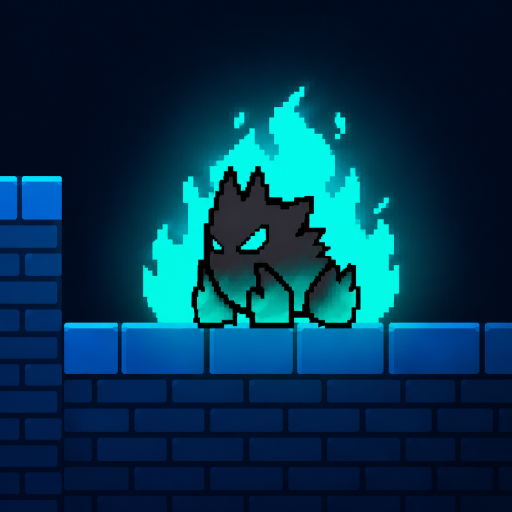
Ambidextrous is a skill game built around coordination and independent movement. You control two characters simultaneously, using one hand for each character. To advance, both characters must collide, making timing and coordination essential.
How Ambidextrous Works
The challenge in Ambidextrous is managing two characters at the same time without losing track of either one. Each character has its own controls, so your left and right hands work independently as you guide them toward each other.
The objective is clear: bring both characters together so they collide and the level can advance. Because each character moves separately, you'll need to coordinate their movements rather than controlling them as a single unit.
This creates a different kind of skill challenge from games that use one character and one control scheme. Your attention has to be divided between two positions and two sets of inputs.
Two Characters, Two Control Sets
Ambidextrous gives each character a dedicated keyboard layout:
- Character 1: Use WASD with your left hand.
- Character 2: Use the Arrow Keys with your right hand.
- Restart: Press TAB to restart.
The independent controls are the heart of the game. Your left hand handles one character while your right hand manages the other, requiring both sides to work together.
Coordinate Both Hands
The main difficulty comes from synchronizing two separate movements. Moving one character is only half the task; you also need to keep the second character moving toward the required collision.
A useful approach is to keep both characters in mind rather than focusing entirely on one. Watch their positions and think about how a movement on one side affects the timing of the eventual collision.
Since the game requires both characters to meet, rushing one character ahead doesn't necessarily help. Controlled, coordinated inputs are more important than simply moving quickly.
A Different Kind of Skill Game
Ambidextrous focuses on bilateral coordination by giving each hand a separate job. The left hand controls one character, while the right hand controls another.
That setup makes the keyboard itself part of the challenge. WASD and the arrow keys are familiar controls individually, but using them simultaneously for two independent characters requires a different level of coordination.
The simple objective also keeps the focus on the core mechanic: move both characters and bring them together.
Social Network:
https://smartmathsacademy.com/profile/alinadominic/
https://www.ironlifting.it/forum/member.php?u=447871
https://egl.circlly.com/users/jamina
https://safechat.com/u/mee.games
https://beteiligung.stadtlindau.de/profile/alinadominic/
https://myanimeshelf.com/profile/meegames
https://library.zortrax.com/members/mee-games/
https://zerowaste-project.idu.edu.tr/profile/alinadominic/
https://cds.zju.edu.cn/addons/cms/go/index.html?url=https://www.meegames.com/
https://raovat.nhadat.vn/members/alinadominic-350134.html
https://digitaldo.in/profile/alinadominic/
https://www.sythe.org/members/alina-dominic.2097129/
https://bookmeter.com/users/1779831
https://institutocrecer.edu.co/profile/alinadominic/
https://notionpress.com/author/1330025
https://hedgedoc.envs.net/s/XloEbXUlGA
https://gegenstimme.tv/a/emma5645/video-channels
https://www.pageorama.com/?p=genevieveamelia
https://500px.com/p/valentinacolton
https://motion-gallery.net/users/806342
https://mindsetlearning.co.uk/profile/alinadominic/
https://ahmadinstitute.org/profile/alinadominic/
https://tv.sparktv.net/@mayawhitemore?page=about
https://protospielsouth.com/user/80444
https://vanitycheats.xyz/members/athenacaleb.39261/#about
https://maxforlive.com/profile/user/sadie3262
https://forums.filatelija.lv/memberlist.php?mode=viewprofile&u=61919
Tips for New Players
- Watch both characters: Don't let one side of the screen become an afterthought.
- Use both hands independently: Treat WASD and the arrow keys as two separate control systems.
- Plan the meeting point: Think about where the characters need to collide before making several movements.
- Keep your inputs controlled: Small, deliberate movements can make coordination easier.
- Use TAB when needed: Press TAB to restart and try the level again.
FAQ
What is Ambidextrous?
Ambidextrous is a coordination-based skill game where one player controls two characters simultaneously.
How do you control the two characters?
Character 1 is controlled with WASD, while Character 2 is controlled with the Arrow Keys.
How do you advance?
Both characters must collide with each other to advance to the next level.
Can I restart a level?
Yes. Press TAB to restart.
What makes Ambidextrous challenging?
Each character has independent controls, requiring you to coordinate your left and right hands at the same time.